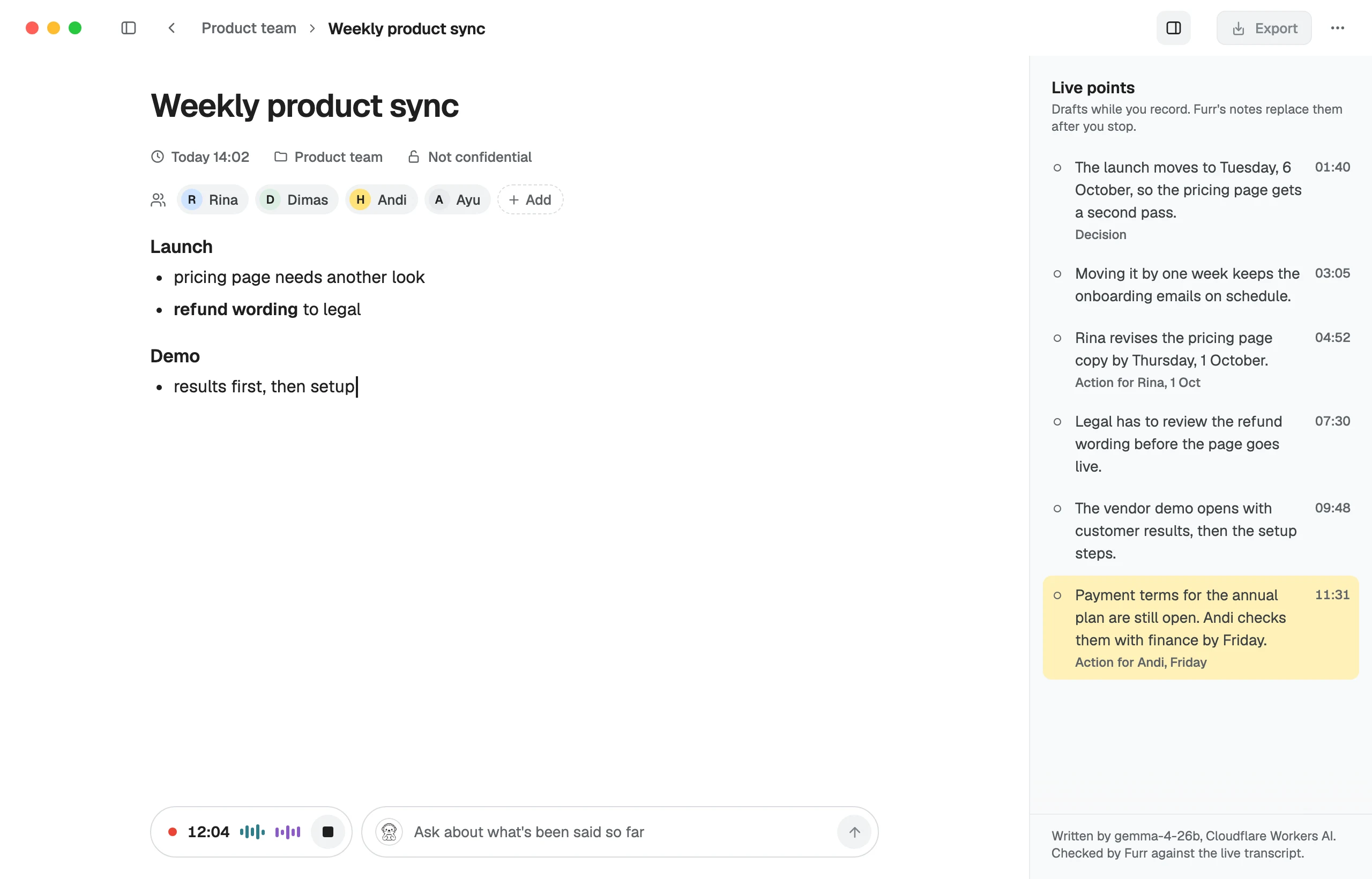
See the points while you record
Furr drafts points beside your notes as people talk, so you can see what was decided or promised without waiting for Stop.
Draft points beside your notes
Each draft is marked Decision or Action, with the owner and due date when they were said. Point at one to see who said it and when.
Live help in the Ask bar
Ask about what's been said so far. An answer from the recording quotes it. A suggestion from your engine is marked Idea, because it wasn't said in the recording.
Drafts until Furr writes its notes
After you press Stop, Furr writes its notes from the full transcript, and they replace the drafts.
Live points are off until you turn them on, work on a Mac for now, and never run for a Confidential meeting. They need an engine that can write them: an online engine with your own key, or Furrget's engine, which then also receives the speech as people talk and keeps none of it.
How live points work